Keyboard buying guide · 7 MIN READ
Which keyboard fits your desk?
Do you miss a number pad, reach too far for the mouse, or want a key to reset the instant you lift your finger? These ten keyboards make different trade-offs. Start with the one you notice every day.
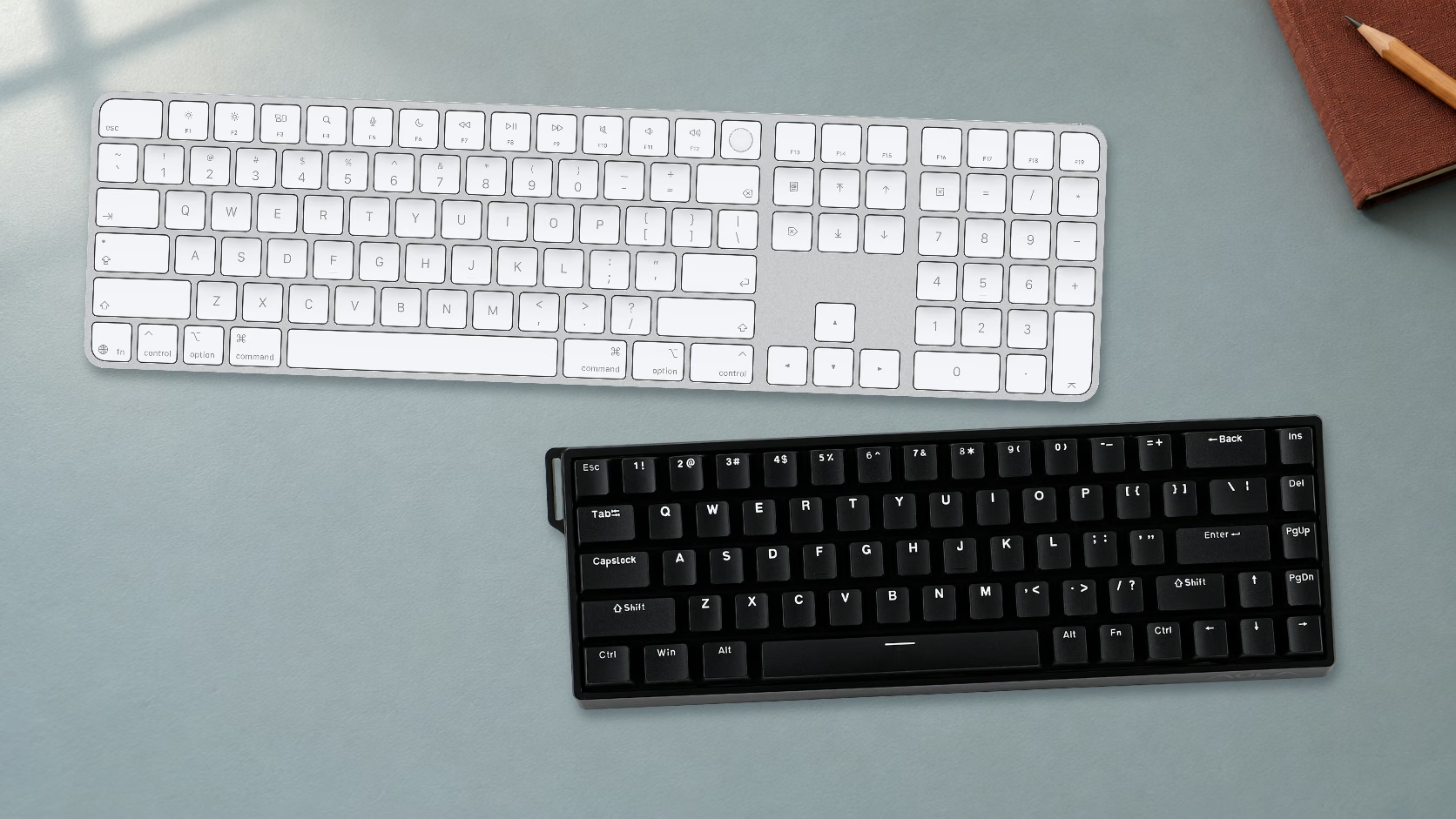
Compare the ten keyboardsTwo very different keyboards ranked near the top of their own Amazon US categories on November 25. The AULA F75 Pro ranked first in PC Gaming Keyboards, and the full-size Logitech MX Keys S ranked third in Computer Keyboards. We used those category snapshots, Best Buy’s monthly lists and hands-on reviews to select ten models. The table groups them by the job they do.
| Product & price | Best for | Trade-off |
|---|---|---|
| Logitech MX Keys S $109.99 | Backlit office keyboard. | The charging cable supplies power. Typing still uses a wireless connection. |
| Logitech Signature K650 $53.99 | Full-size budget option. | Allow for the deeper body and supply AA batteries when the included pair runs down. |
| Logitech Wave Keys $54.99 | Curved with a number pad. | The palm rest is attached. Check your keyboard tray depth. |
| Lofree Flow Lite84 $99.99 $20.00 coupon | Low-profile mechanical. | There is no dedicated number pad. Check the switch and keycap format before buying spares. |
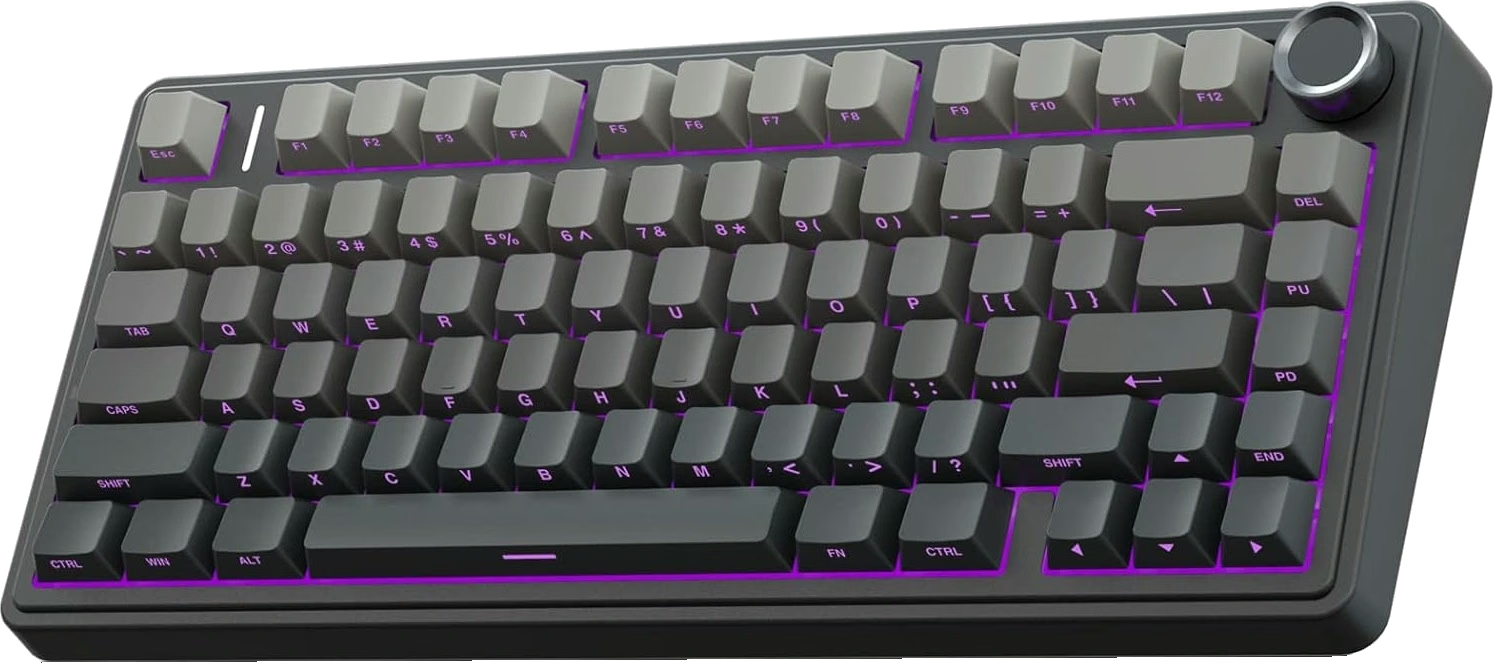
| AULA F75 Pro $61.74 | Stock feel and sound. | The black version has front-facing legends, which look different viewed from overhead. |
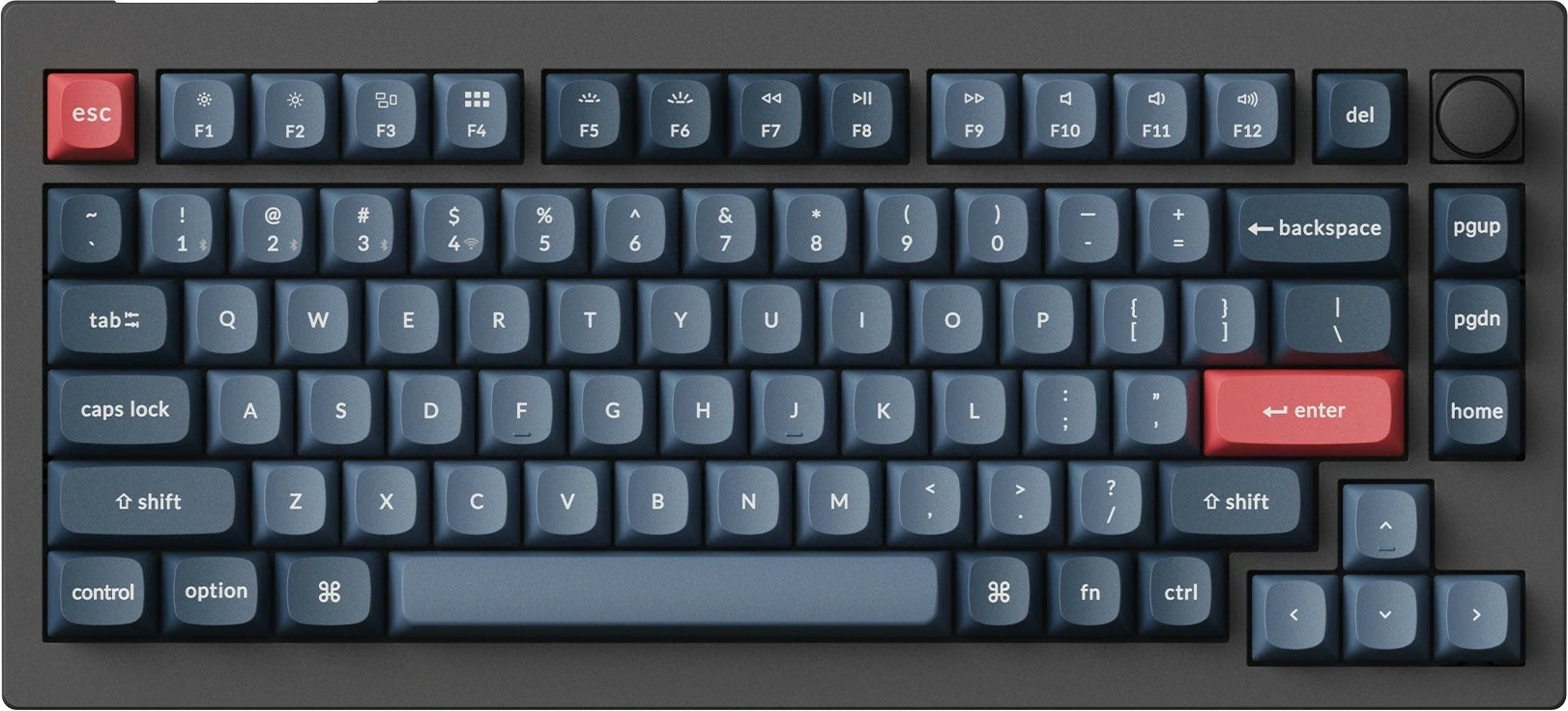
| Keychron V1 Max $91.99 | Programmable 75% layout. | The condensed layout omits a dedicated number pad. Check that you are ordering the assembled version. |
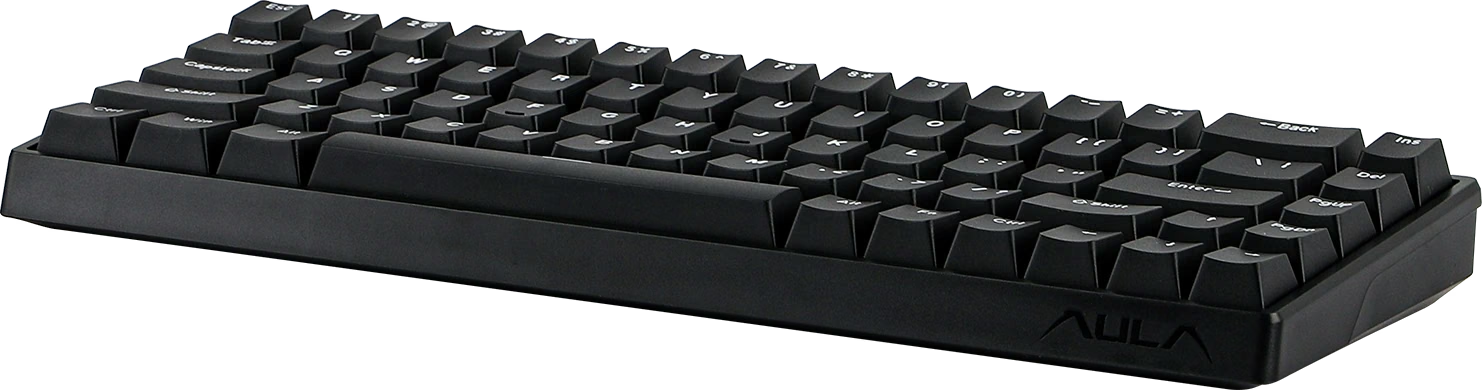
| AULA WIN68 HE $36.79 | Wired magnetic option. | Keep the USB cable connected and expect to use layers for the function row. |
| Keychron K2 HE Special Edition $111.99 | Wireless magnetic option. | The Special Edition’s legends are opaque, and ordinary mechanical switches do not fit its magnetic sockets. |
| Apple Magic Keyboard with Touch ID and Numeric Keypad $179.00+ $4.99 delivery | Mac desktop and number work. | Apple requires macOS 15.1 or later on an Apple silicon Mac. The low board has a fixed tilt. |
| ASUS ROG Strix Scope II 96 Wireless $109.99 | Number work and games. | The right-hand keys sit closer together than on a traditional full-size keyboard. Check the positions you use by touch. |
- Shallow keys
- Dedicated numpad
- Backlit option
01 / Everyday office
Keep the number pad. Choose how you want the keys to feel.
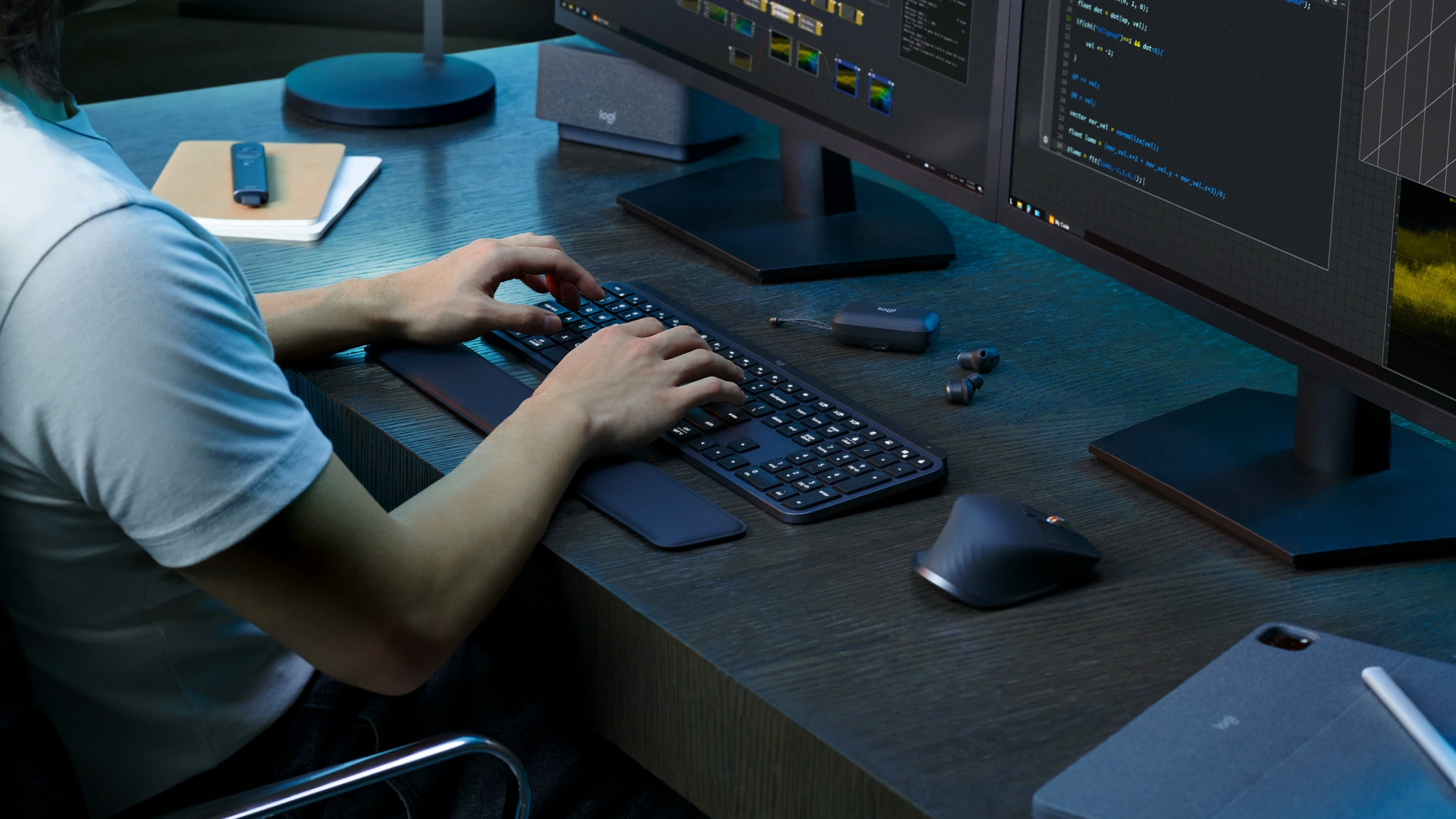
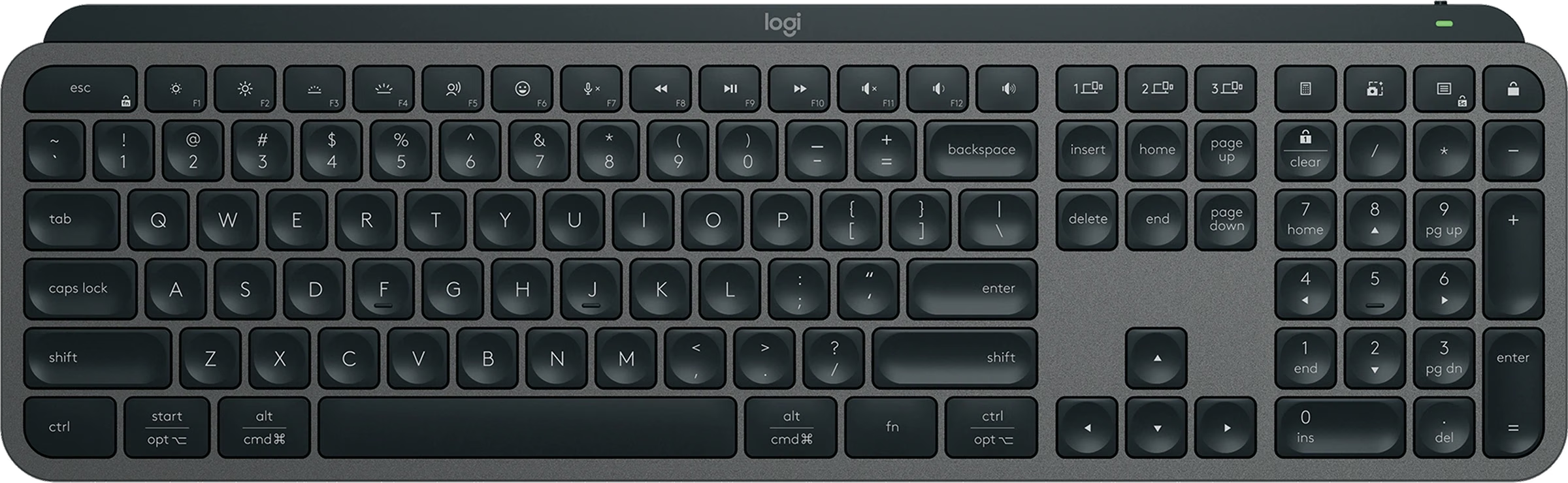
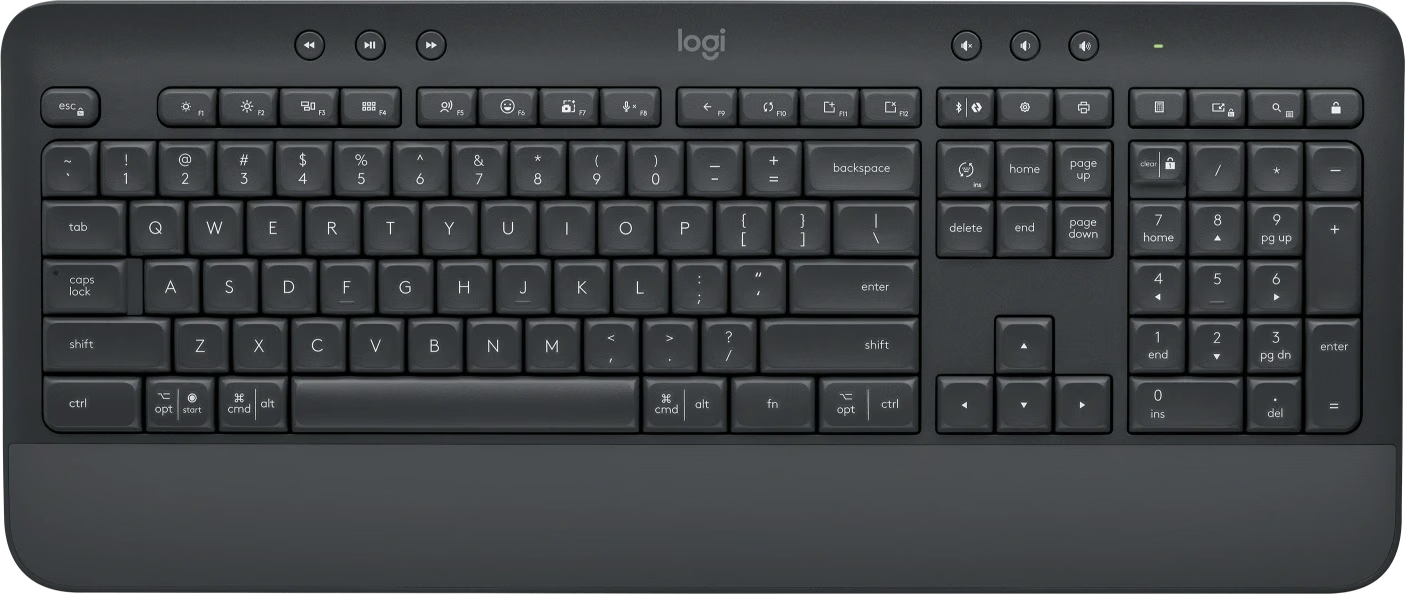
The MX Keys S has shallow, dished keys and backlighting. The K650 has a deeper body with an attached palm rest and runs on replaceable batteries. Both leave the number pad and arrow cluster where a desktop typist expects them.
If you switch between a personal laptop and a work machine during the day, the MX Keys S has dedicated device-switch keys. For a single desk computer, consider what that feature is worth to you.
Setup notes & sources
On November 25 the MX Keys S was No. 3 in Amazon US Computer Keyboards. RTINGS also singled out the less expensive K650 in its budget category. Those are two different reasons to put a keyboard on a shortlist.
Sources: RTINGS · keyboards by use · Amazon US · Logitech MX Keys S · Logitech MX Keys S · product specifications · Logitech Signature K650 · product specifications
Backlit office keyboard
Logitech MX Keys S
Easy-Switch selects among three devices, and the low keys have fingertip-sized depressions.
Fit & limits
The charging cable supplies power. Typing still uses a wireless connection.
Full-size budget option
Logitech Signature K650
You get the usual navigation cluster and a palm rest in one piece.
Fit & limits
Allow for the deeper body and supply AA batteries when the included pair runs down.
- Curved rows
- Integrated support
- Low-profile alternative
02 / Typing height
Choose what happens under your palms.
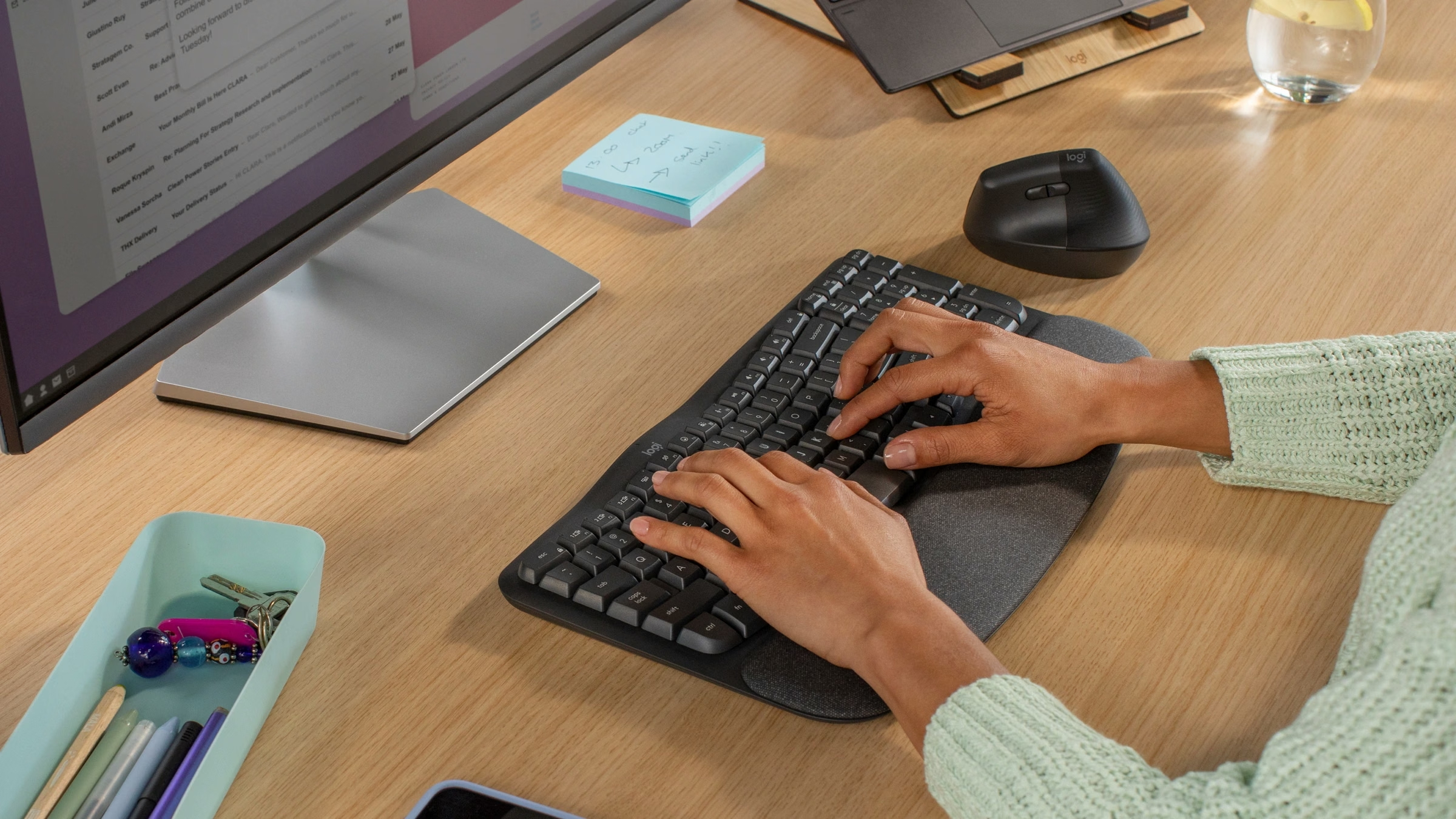
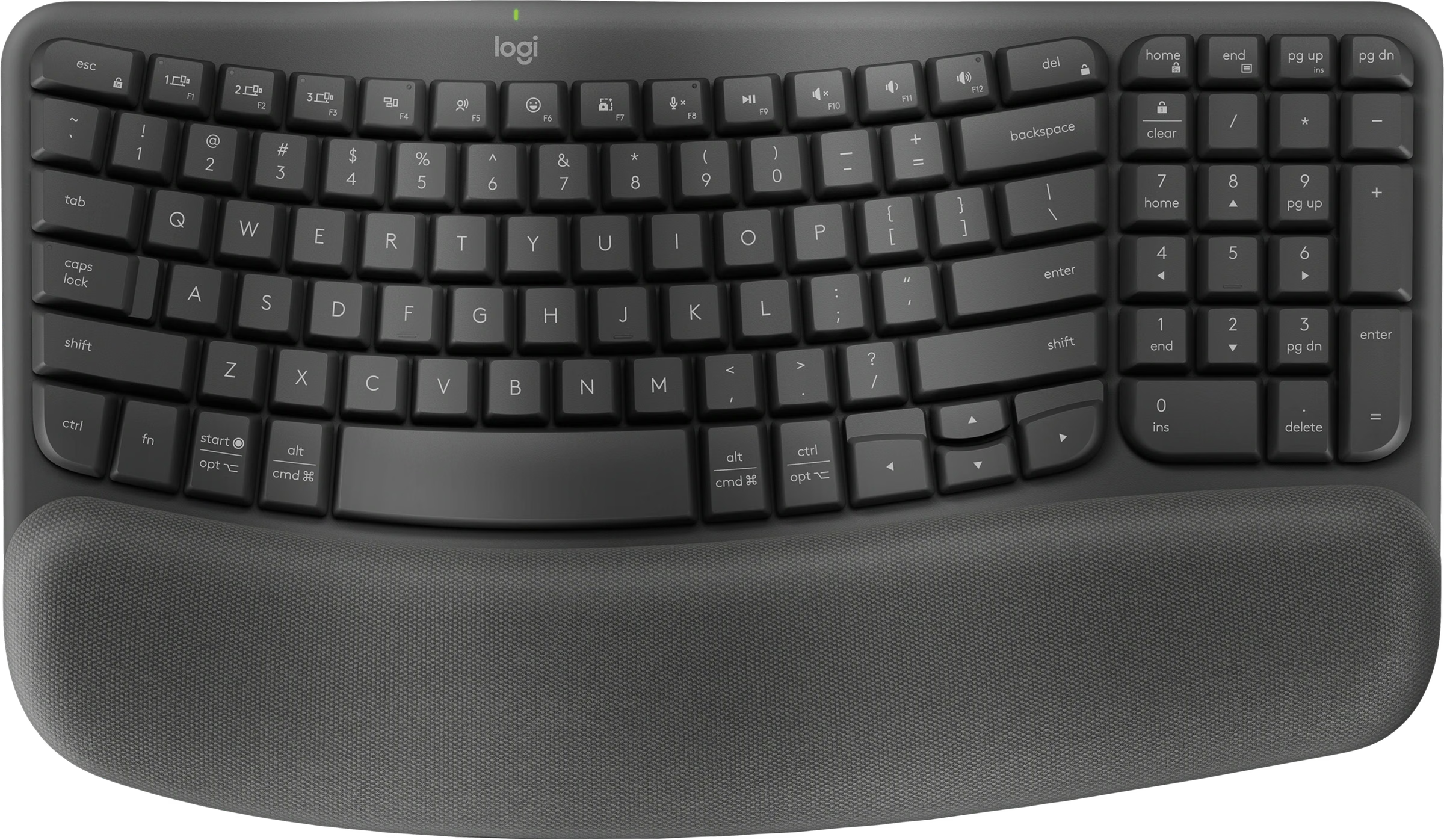
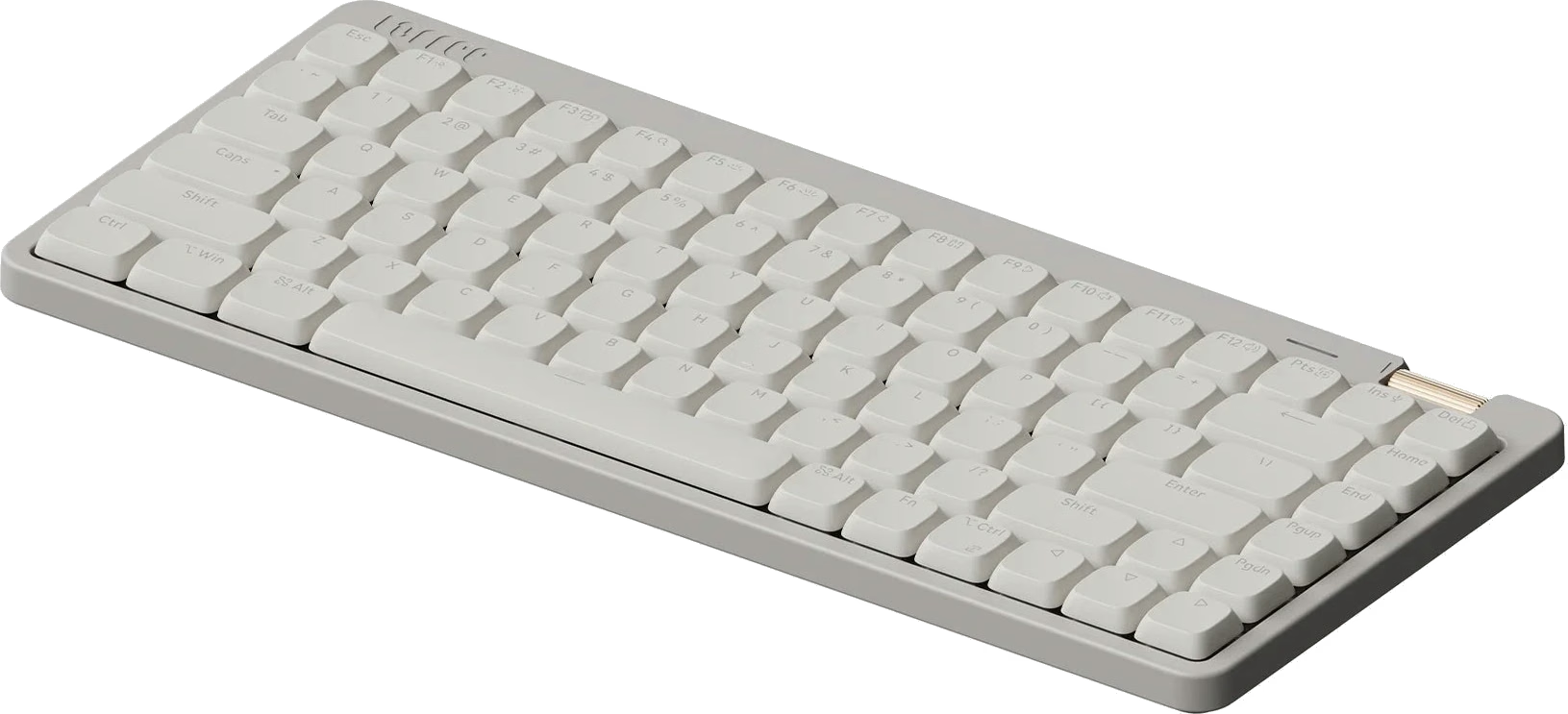
Logitech’s Wave Keys curves the rows and places a cushioned support in front of them. The Lofree Flow Lite 84 takes the other route with low mechanical switches, a straight space bar and a narrower body without the number pad.
Try the movement you make most often. If your mouse feels too far away, notice where the keyboard ends. If you want support at the base of your palms, check the front edge.
Setup notes & sources
The Wave keeps the letter keys together, so you can try a curved layout without learning a fully split board. The slope and integrated palm rest are a bigger change than the name suggests. The Flow Lite is the low-profile choice for someone who still wants distinct mechanical key travel.
Sources: RTINGS · ergonomic keyboards · Tom’s Guide · November 23 keyboard selection · Amazon US · Logitech Wave Keys · Logitech Wave Keys · product specifications · Lofree Flow Lite84 · product specifications
Curved with a number pad
Logitech Wave Keys
A wave-shaped key bed and padded front edge can suit someone accustomed to an ordinary letter layout.
Fit & limits
The palm rest is attached. Check your keyboard tray depth.
Low-profile mechanical
Lofree Flow Lite84
The compact 84-key layout keeps a function row and arrows while leaving space for a mouse.
Fit & limits
There is no dedicated number pad. Check the switch and keycap format before buying spares.
- 75% footprint
- Mechanical switch sockets
- Knob and arrows
03 / Custom mechanical
Start with the keys you reach for without looking.
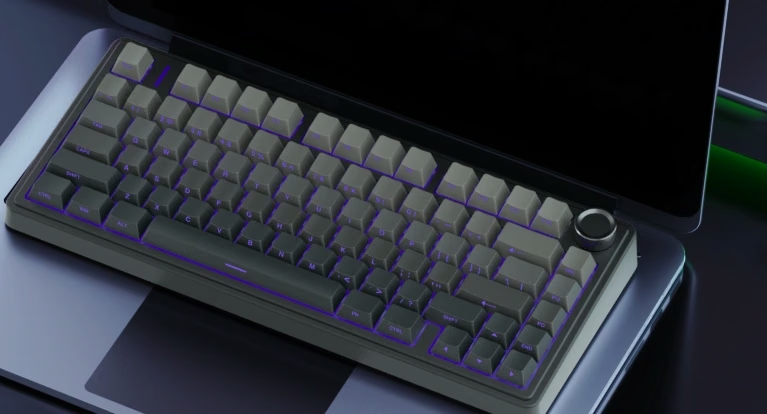
Two 75% keyboards can occupy about the same patch of desk and feel quite different. The F75 Pro puts the legends on the front of its gradient keycaps. The V1 Max offers a programmable layout and a rotary knob. Both retain arrows and the function row.
If you look down to find a shortcut, compare the legends from your usual sitting position. If you want a different Home or End key, look at remapping first.
Setup notes & sources
Best Buy’s monthly 75% collection includes both families. The F75 Pro listing was No. 1 in Amazon US PC Gaming Keyboards on November 25. One buyer changed its keycaps to help a family member read them. The selected V1 Max comes assembled, so the first decision can be a key assignment instead of a switch purchase.
Sources: Best Buy · best-selling 75% keyboards · Amazon US · AULA F75 Pro · AULA F75 Pro owner · reading the side legends · AULA F75 Pro · product specifications · Keychron V1 Max · product specifications
Stock feel and sound
AULA F75 Pro
Pre-lubricated Reaper linear switches and a volume knob make the assembled board usable right out of the box.
Fit & limits
The black version has front-facing legends, which look different viewed from overhead.
Programmable 75% layout
Keychron V1 Max
Remapping lets a frequently used navigation key take a convenient position.
Fit & limits
The condensed layout omits a dedicated number pad. Check that you are ordering the assembled version.
- Adjustable actuation
- Rapid trigger
- Switch compatibility
04 / Magnetic gaming
Tune the release of a movement key.
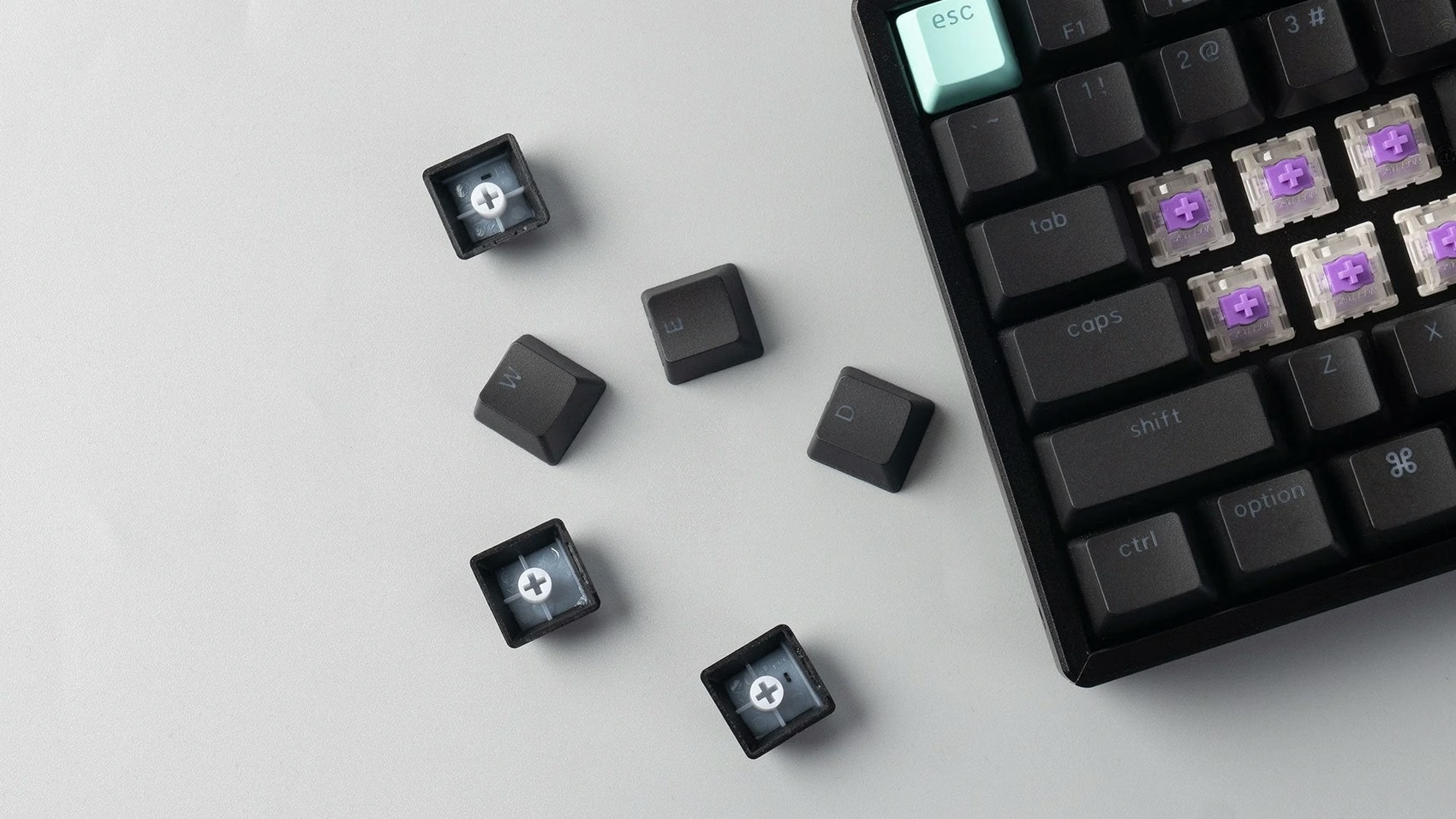
A magnetic switch can track position through the keystroke. With rapid trigger, lifting your finger can reset a movement command before the key reaches its starting height. The compact AULA WIN68 HE and wireless Keychron K2 HE both let you work with that behavior.
Start with the keys you use to move in a game. Very shallow settings on the whole board can also turn a resting finger into an unwanted letter.
Setup notes & sources
Can you add rapid trigger to the F75 Pro by swapping switches? No. Its sockets take conventional mechanical switches. For adjustable actuation, choose a board with magnetic sensors. The wired WIN68 HE ranked No. 8 in Amazon US PC Gaming Keyboards on November 25. The K2 HE adds a function row and wireless modes. Check the exact board’s switch list before buying spares.
Sources: PC Gamer · Keychron K2 HE, November 24 · Keychron · using K2 HE actuation profiles · Amazon US · AULA WIN68 HE · AULA WIN68 HE · product specifications · Keychron K2 HE Special Edition · product specifications
Wired magnetic option
AULA WIN68 HE
Separate arrows survive on a compact board with plenty of space to sweep a mouse.
Fit & limits
Keep the USB cable connected and expect to use layers for the function row.
Wireless magnetic option
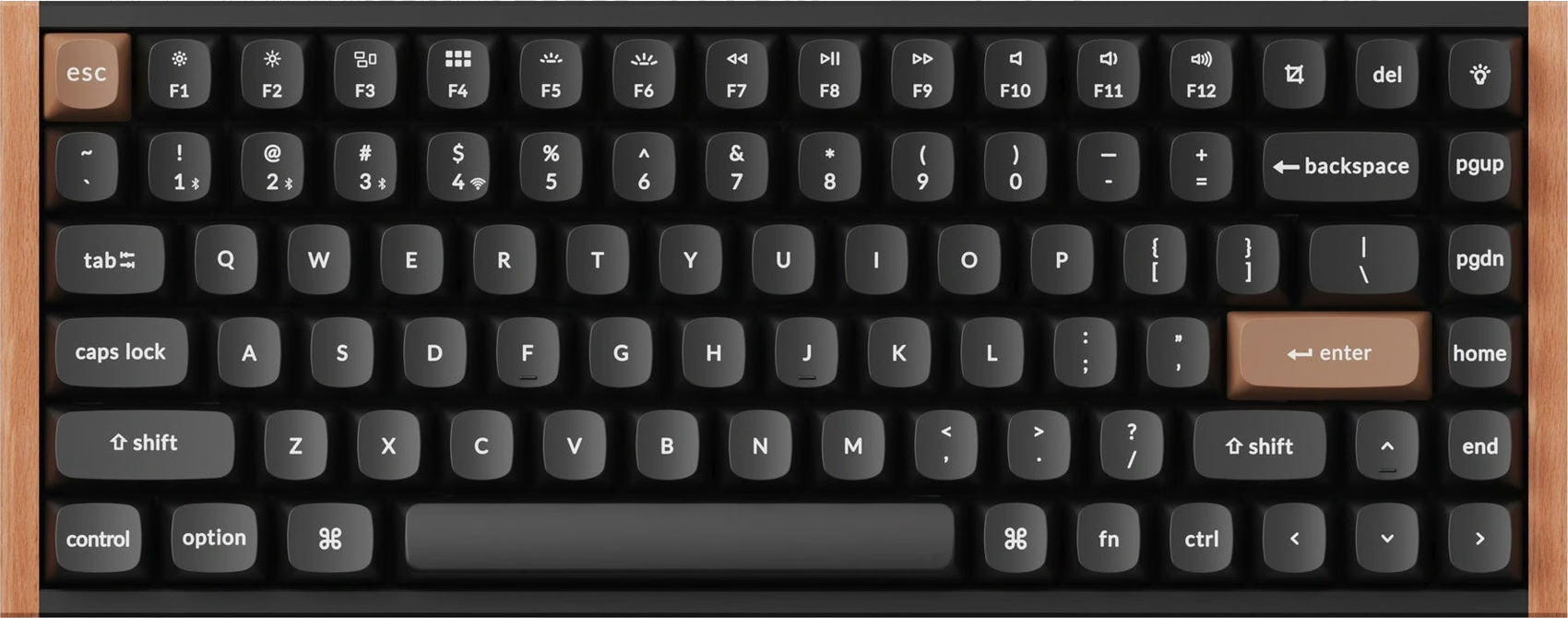
Keychron K2 HE Special Edition
The 75% layout keeps a dedicated function row and can store different settings for typing and games.
Fit & limits
The Special Edition’s legends are opaque, and ordinary mechanical switches do not fit its magnetic sockets.
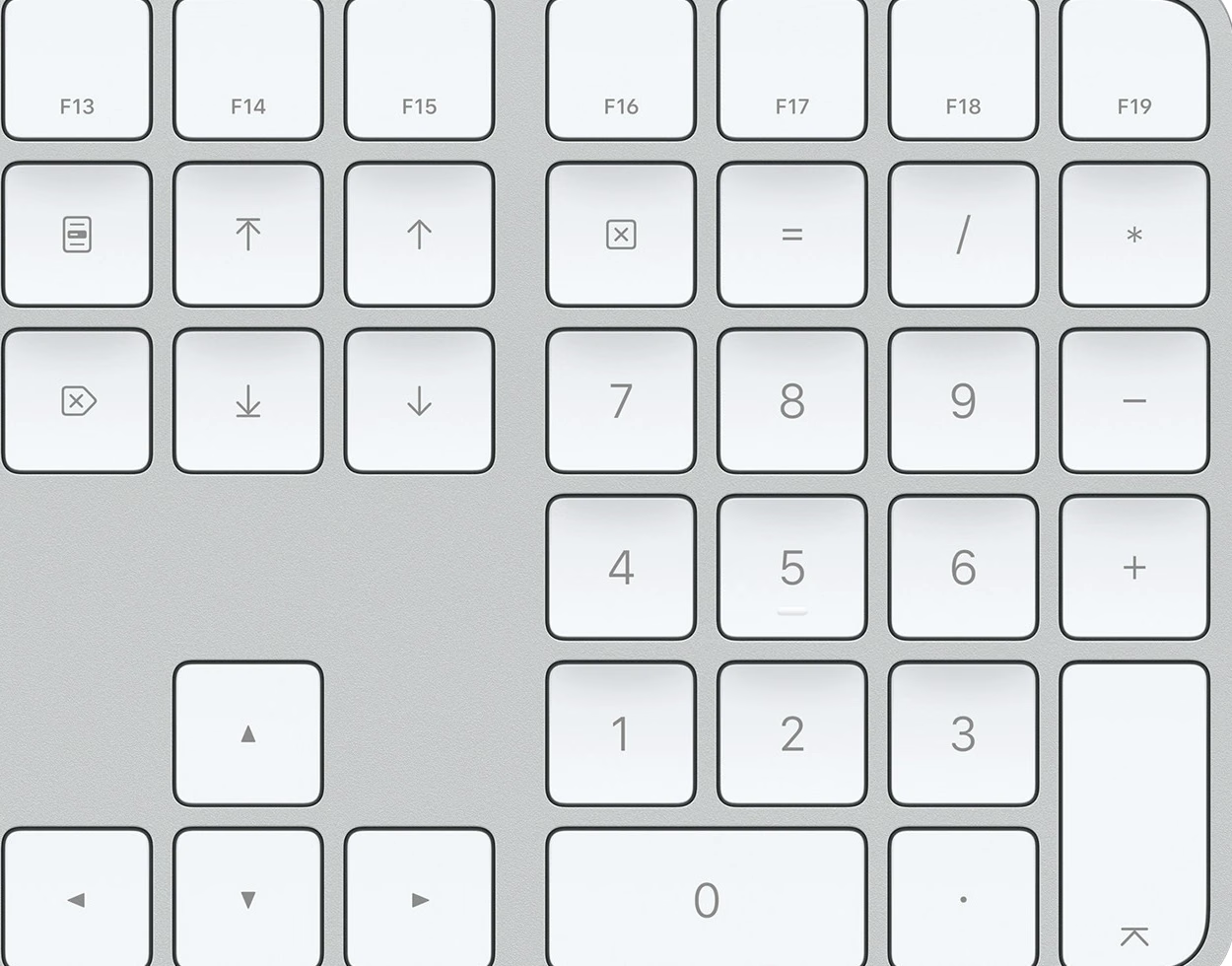
- Dedicated arrows
- Number-pad spacing
- Touch ID or mechanical keys
05 / The number pad
Keep the digits without giving up the rest of your desk.
For long columns of figures, a dedicated pad can be worth more than the extra mouse room. Apple leaves visible gaps around the arrows and numeric keys. ASUS squeezes its number pad into a 96% layout and keeps mechanical switches for gaming.
Mark the board’s width on your desk with two slips of paper, then use your mouse beside that space. Try reaching for the arrows and the zero key on each layout.
Setup notes & sources
The Apple keyboard’s Touch ID sensor is useful with a docked MacBook or a Mac mini. Apple requires a compatible Apple silicon Mac for fingerprint authentication. A buyer of the white extended version liked the fingerprint response but wanted adjustable tilt. The ASUS is the option if you want full-height mechanical switches and a compact number pad on the same desk.
Sources: Best Buy · best-selling full-size keyboards · Apple Magic Keyboard owner · fixed tilt · Apple Magic Keyboard with Touch ID and Numeric Keypad · product specifications · ASUS ROG Strix Scope II 96 Wireless · product specifications
Mac desktop and number work
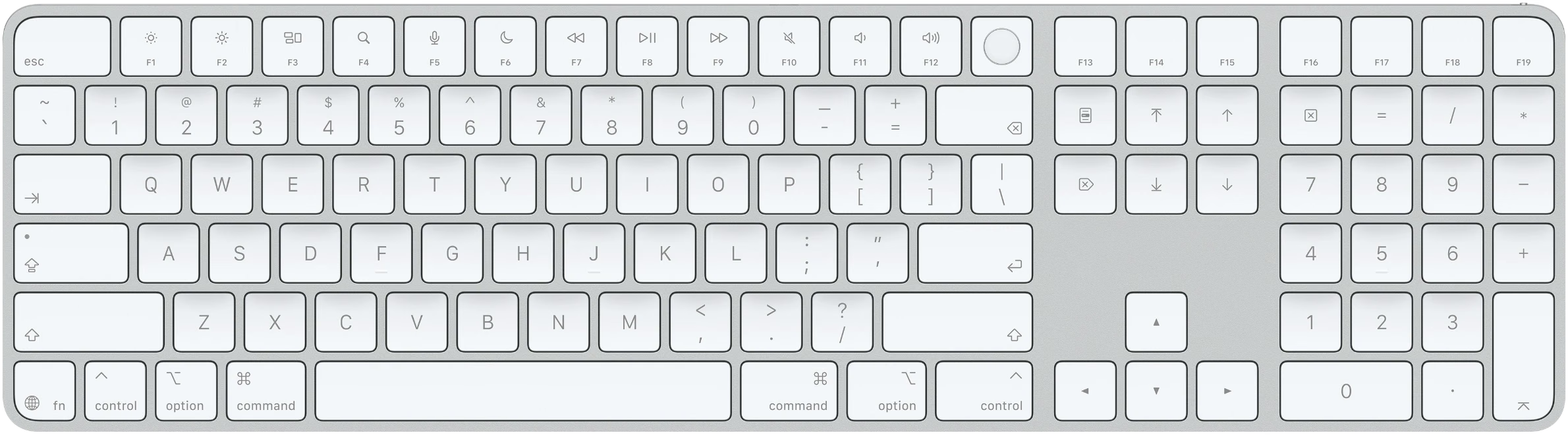
Apple Magic Keyboard with Touch ID and Numeric Keypad
Keep fingerprint login and the full numeric block within reach on a docked Mac.
Fit & limits
Apple requires macOS 15.1 or later on an Apple silicon Mac. The low board has a fixed tilt.
Number work and games
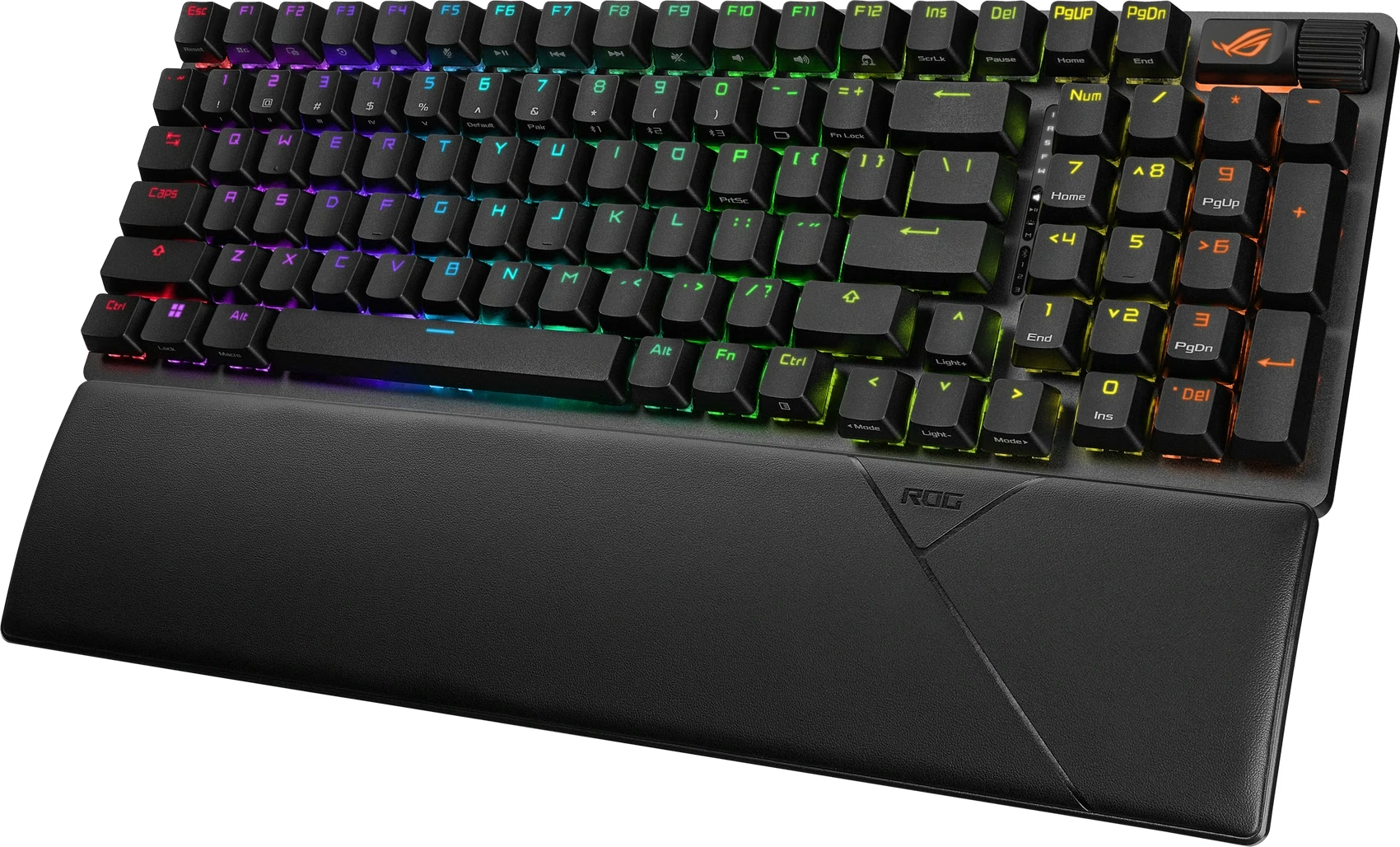
ASUS ROG Strix Scope II 96 Wireless
A 96% layout keeps the numeric pad, arrows and a function row in a tighter space.
Fit & limits
The right-hand keys sit closer together than on a traditional full-size keyboard. Check the positions you use by touch.
YOUR STARTING CHECKLIST
Four things to check at your own desk
What you touch
- Try the keys you use by touch.
Find Delete, the arrows, zero on the number pad and your most-used function key. On a smaller board some move or share a layer.
- Leave room for the mouse.
Mark the keyboard footprint, including any fixed palm rest, with paper. Sit normally and see where your mousing hand lands.
What you connect
- Look at the charging cable.
Some wireless keyboards charge over USB while still sending keystrokes by radio. If your work computer requires wired input, check that detail.
- Check the switch socket.
Mechanical, low-profile and magnetic switches can look alike from above. Confirm the exact supported family before ordering replacements.
Sources & further reading
US category rankings are snapshots from product pages. Retailer lists and editorial tests identify other layouts worth comparing. The opening compares manufacturer photographs at matching scale. Detail photographs show the selected variants. Product prices retain the observation dates shown beside them.
- Best Buy · best-selling 75% keyboards ↗
The retailer describes this collection as monthly customer favorites. Its list includes the AULA F75 Pro and Keychron V1 Max families.
Source checked - Best Buy · best-selling full-size keyboards ↗
The extended Apple keyboard and Logitech MX Keys S family appear in this retailer’s full-size selection.
Source checked - RTINGS · keyboards by use ↗
Independent recommendations based on testing, including the Signature K650 as a budget office option.
Source checked - RTINGS · ergonomic keyboards ↗
Discusses the Wave Keys as an accessible curved design for a conventional desk.
Source checked - PC Gamer · Keychron K2 HE, November 24 ↗
Recent editorial coverage of adjustable magnetic switches in the wood-sided wireless model.
Source checked - Keychron · using K2 HE actuation profiles ↗
Manufacturer demonstration of different profiles for everyday typing and gaming.
Source checked - Tom’s Guide · November 23 keyboard selection ↗
The author includes the low-profile Flow Lite 84 among keyboards they have used.
Source checked - Amazon US · Logitech MX Keys S ↗
No. 3 in Computer Keyboards on its US detail page at the November 25 check. This category rank can change.
Source checked - Amazon US · Logitech Wave Keys ↗
No. 10 in Computer Keyboards on its US detail page at the November 25 check. This category rank can change.
Source checked - Amazon US · AULA F75 Pro ↗
No. 1 in PC Gaming Keyboards on its US detail page at the November 25 check. This category rank can change.
Source checked - Amazon US · AULA WIN68 HE ↗
No. 8 in PC Gaming Keyboards on its US detail page at the November 25 check. This category rank can change.
Source checked - Apple Magic Keyboard with Touch ID and Numeric Keypad · product specifications ↗
MJM64LL/A · US English · white keys · USB-C. Model source for the layout and features discussed.
Source checked - Keychron K2 HE Special Edition · product specifications ↗
K2H-F1 · black with dark wood side rails · US layout. Model source for the layout and features discussed.
Source checked - ASUS ROG Strix Scope II 96 Wireless · product specifications ↗
Black · ROG NX Snow linear switches · detachable wrist rest. Model source for the layout and features discussed.
Source checked - AULA WIN68 HE · product specifications ↗
Standard Edition · black · Graywood magnetic switches. Model source for the layout and features discussed.
Source checked - Logitech Wave Keys · product specifications ↗
Graphite · US English · keyboard only. Model source for the layout and features discussed.
Source checked - Logitech Signature K650 · product specifications ↗
Graphite · US English · keyboard only. Model source for the layout and features discussed.
Source checked - Logitech MX Keys S · product specifications ↗
Graphite · US English · keyboard only. Model source for the layout and features discussed.
Source checked - Lofree Flow Lite84 · product specifications ↗
Marble · ANSI US · 84 keys · low-profile Specter linear switches. Model source for the layout and features discussed.
Source checked - Keychron V1 Max · product specifications ↗
Carbon Black · assembled knob version · Gateron Jupiter Red linear switches. Model source for the layout and features discussed.
Source checked - AULA F75 Pro · product specifications ↗
Gradient Black · pre-lubed Reaper linear switches · side-printed PBT keycaps. Model source for the layout and features discussed.
Source checked - AULA F75 Pro owner · reading the side legends ↗
One buyer changed the keycaps so a family member could read the board more easily.
Source checked - Apple Magic Keyboard owner · fixed tilt ↗
This white-key buyer liked the response of the fingerprint reader and wanted an adjustable typing angle.
Source checked